
细节增强插件 ComfyUI-Detail-Daemon for Z-Image
功能介绍
有效显著的增加生成图片的细节,支持 flux / sd15/ sdxl / qwen / z-image 模型。
需要注意的是:如果参数设置不合理,会导致细节增加的同时使画面变的杂乱,需要合理调节 Detail Daemon Sampler 节点的参数。
效果展示
写实人物
原图: 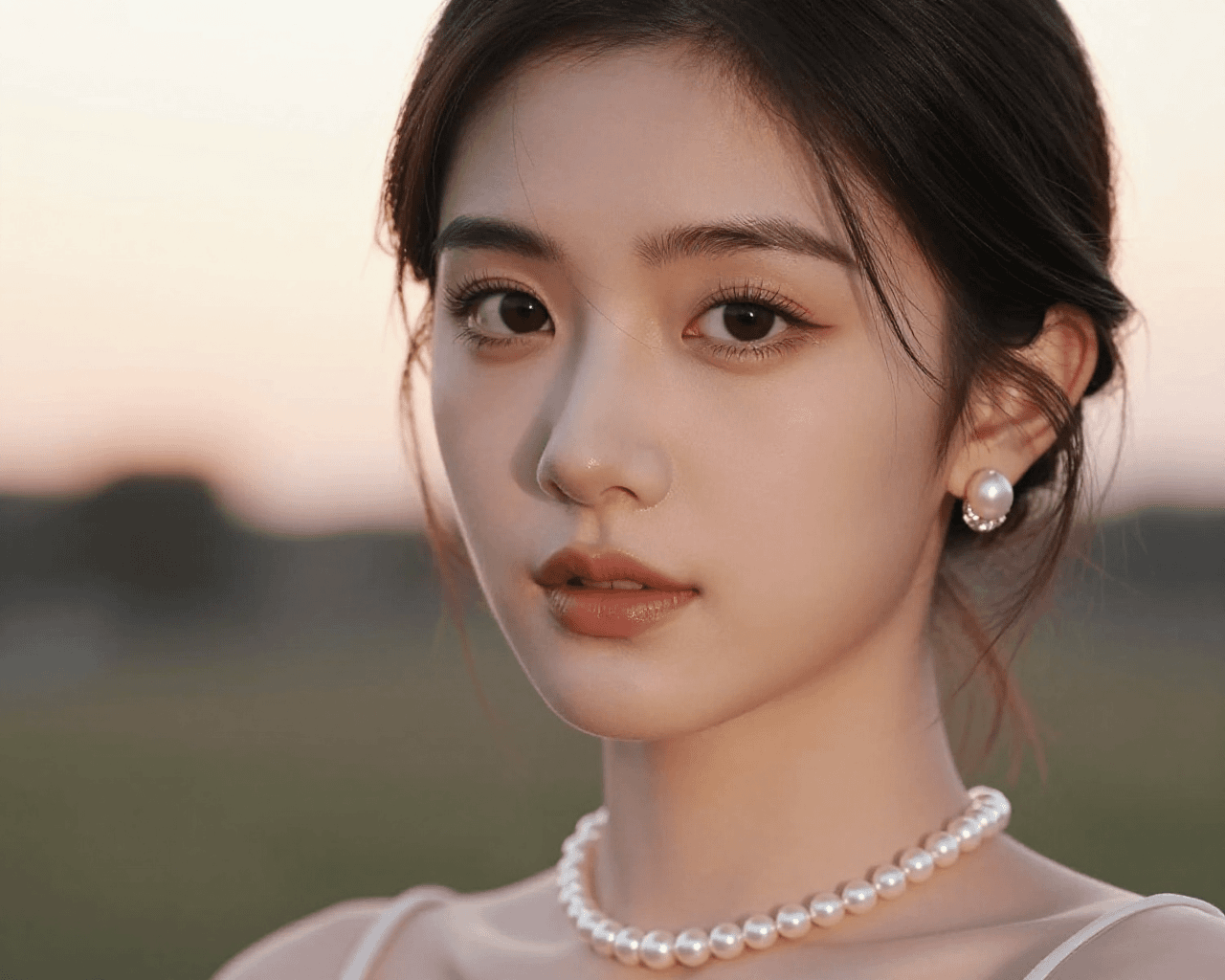
添加细节后: 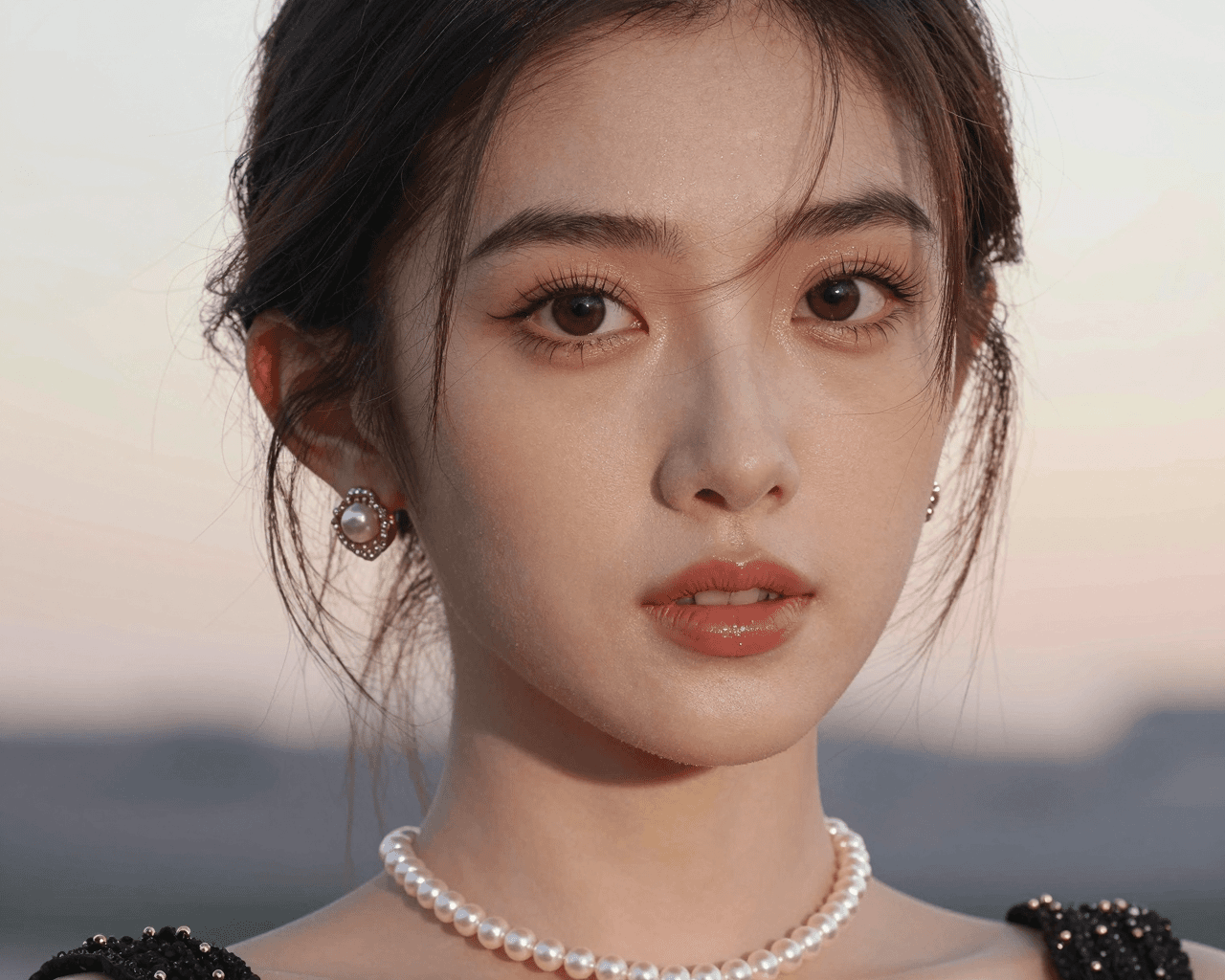
肉眼可见的细节增强,皮肤真实感提升明显。
提示语:
text
一个亚洲女孩,精致的妆容,极其漂亮的眼睛,精致的珍珠项链,精致的耳环,柔光,夕阳动漫人物
原图: 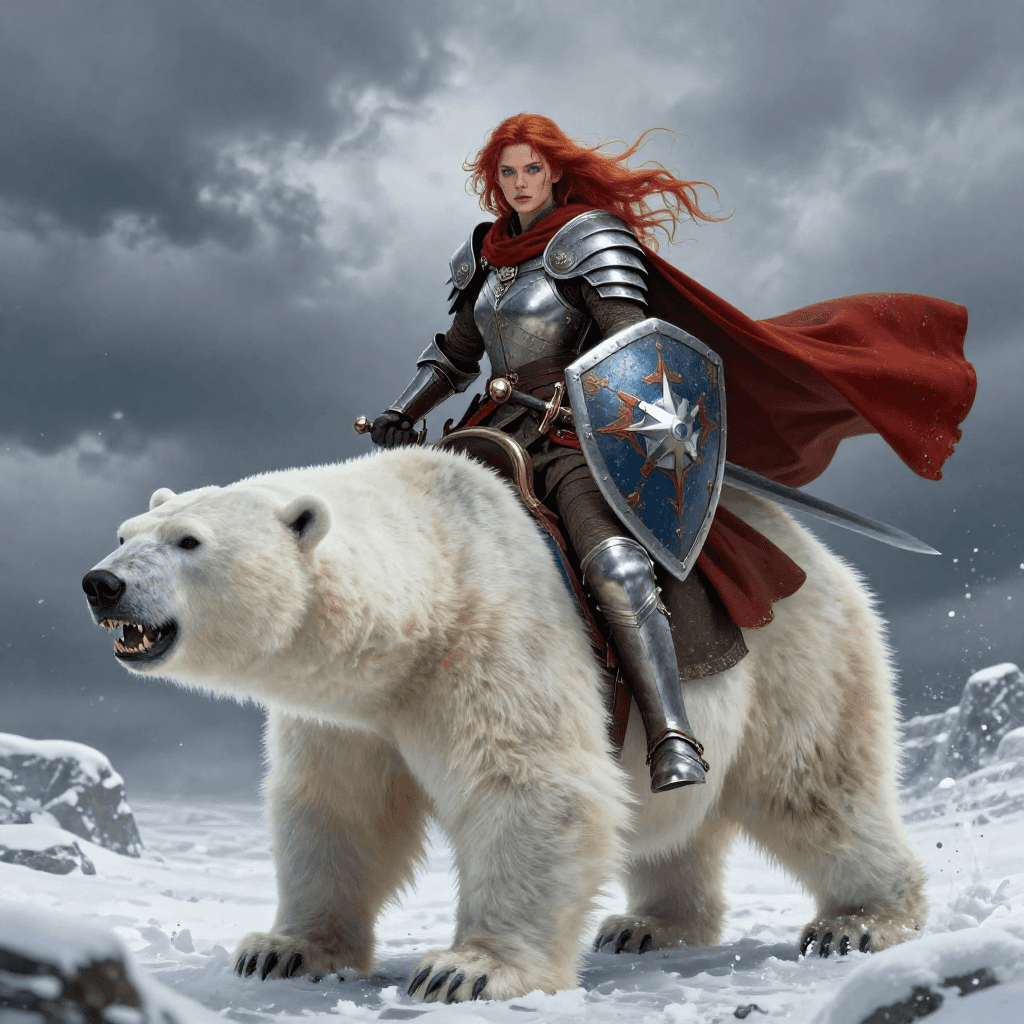
添加细节后: 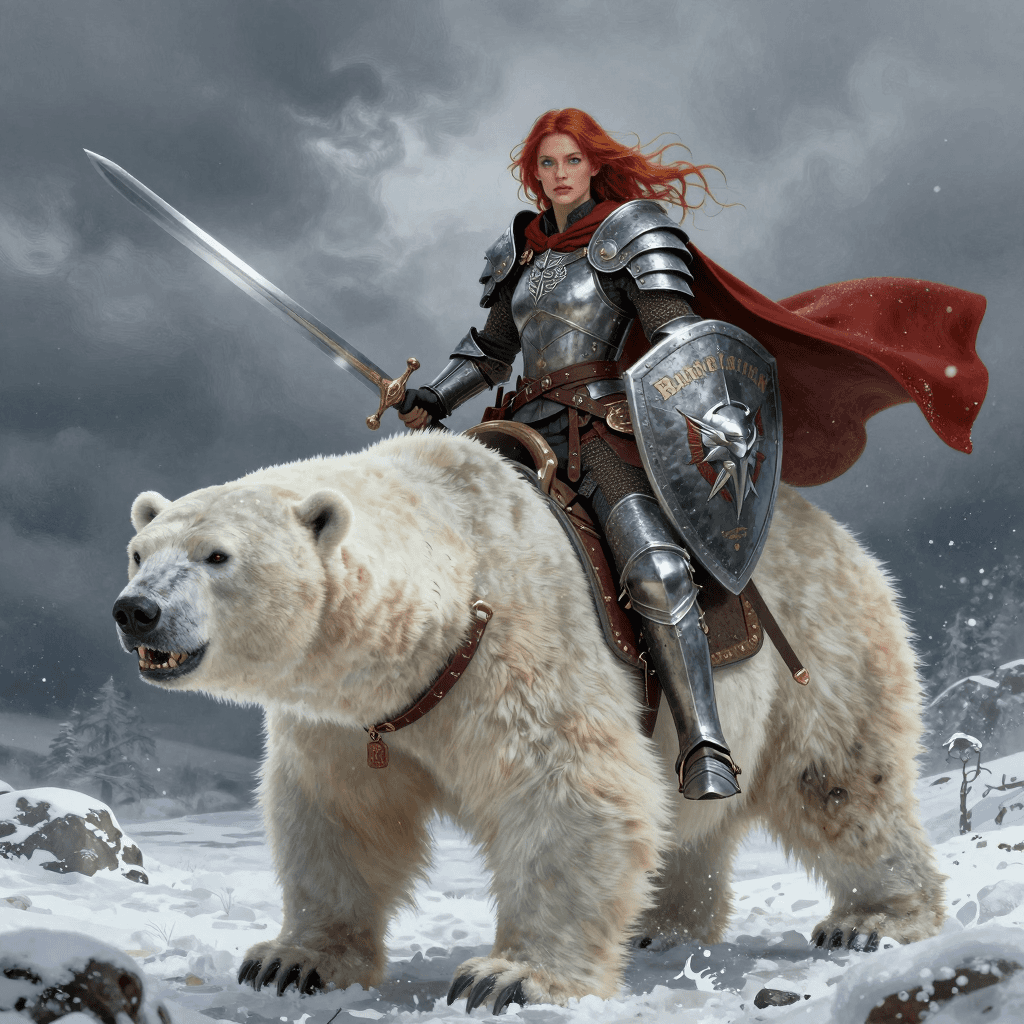
提示语:
text
A hyper-realistic digital illustration depicts a fierce female warrior with auburn hair and piercing blue eyes. She wears medieval armor and a red cape, holding a sword and shield. She rides a massive, snarling polar bear through a snowy landscape. The background is a stormy, cloudy sky. The detailed textures of fur and metal enhance the scene's realism.景观
原图: 
添加细节后: 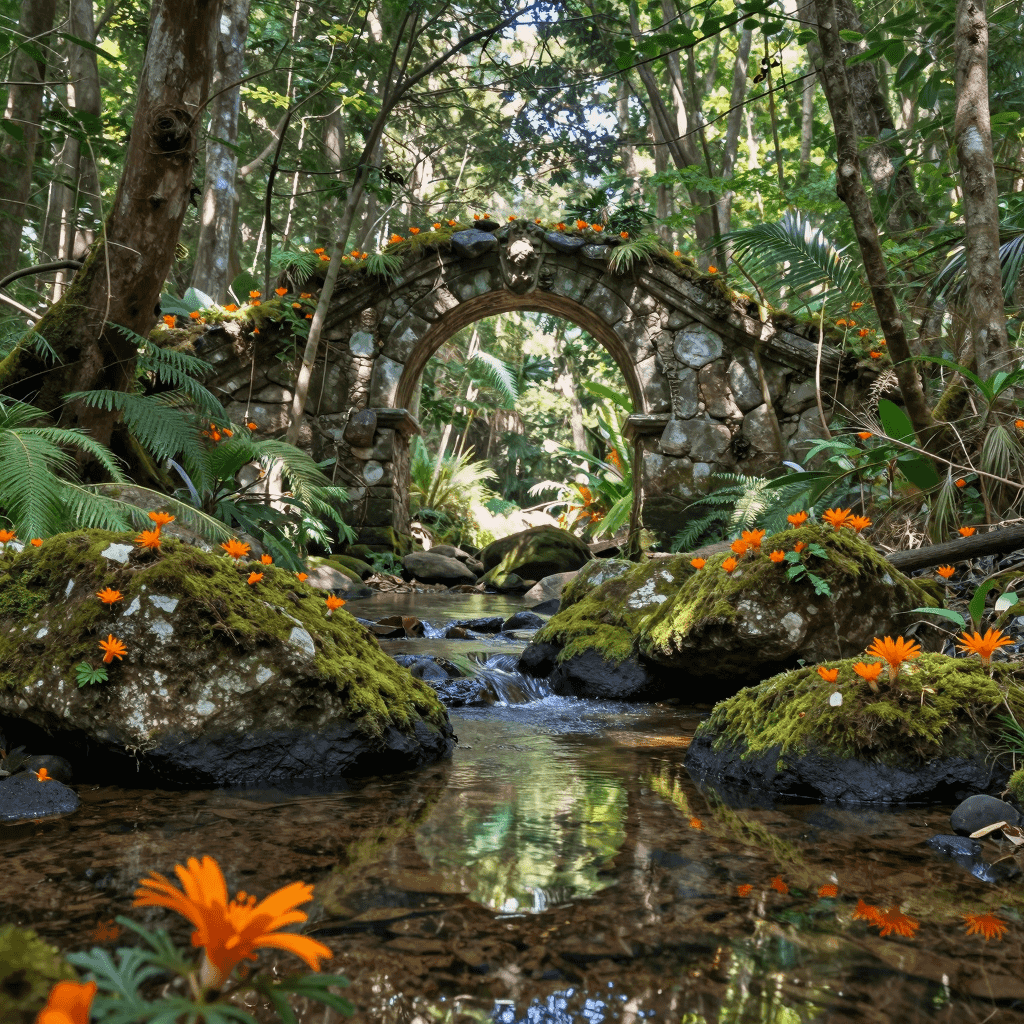
细节增加了很多,但画面也偏杂乱,这个时候就要去调节下 Detail Daemon Sampler 节点的参数,或者考量下是否需要使用该插件。
调节参数后的效果如下(细节有所增加,画面也不再杂乱): 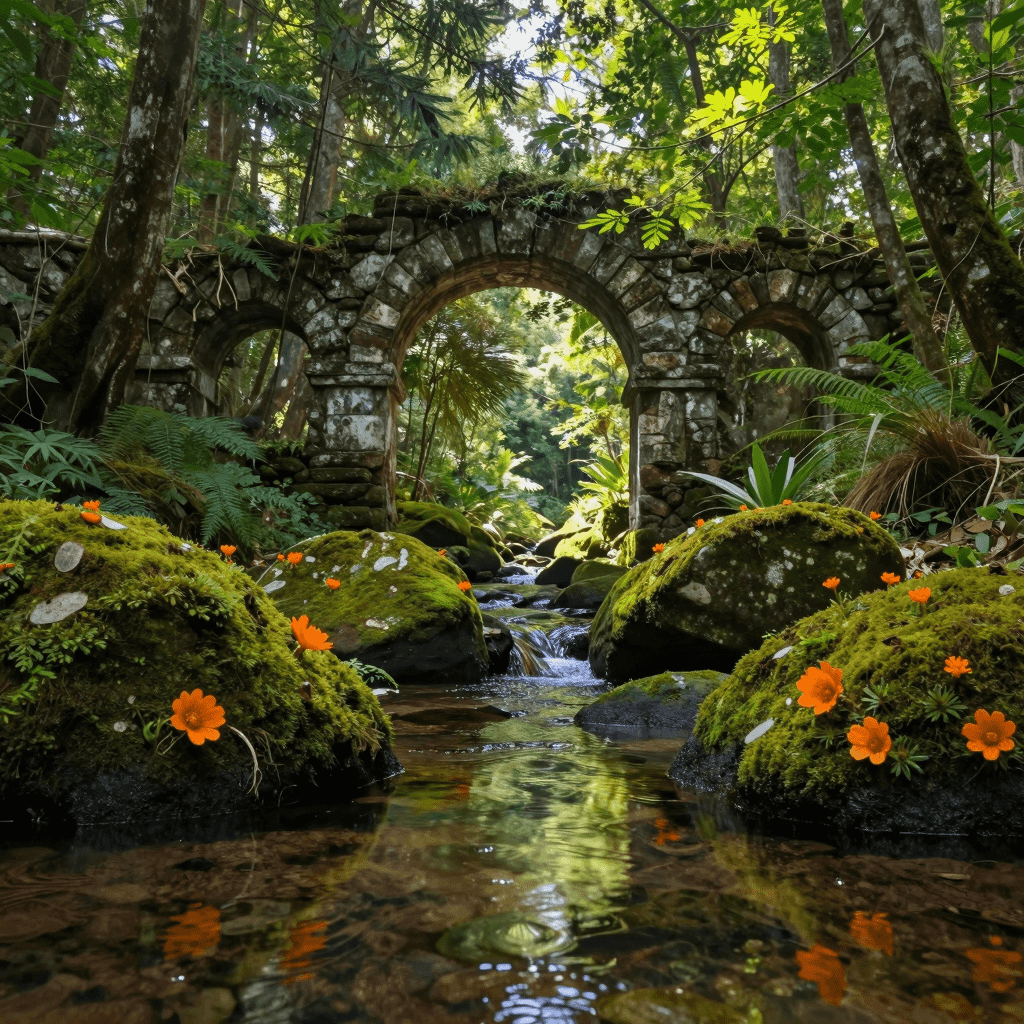
调整前的参数:
- detail_amount:2.0
- start:0
- end:1
调整后的参数:
- detail_amount:1.0
- start:0.44
- end:0.9
提示语:
text
This is a vivid, high-resolution photograph depicting a lush, mystical forest scene. The foreground features a serene, clear stream reflecting the surrounding greenery. Large, moss-covered rocks and vibrant orange sea anemones add to the scene's enchantment. In the background, ancient, overgrown stone archways frame the view, leading to a sunlit clearing. The sky is dappled with sunlight filtering through dense, verdant foliage, creating a magical, otherworldly atmosphere.安装
使用插件管理器安装 插件,安装完成之后,重启 ComfyUI

Z-Image 基础工作流
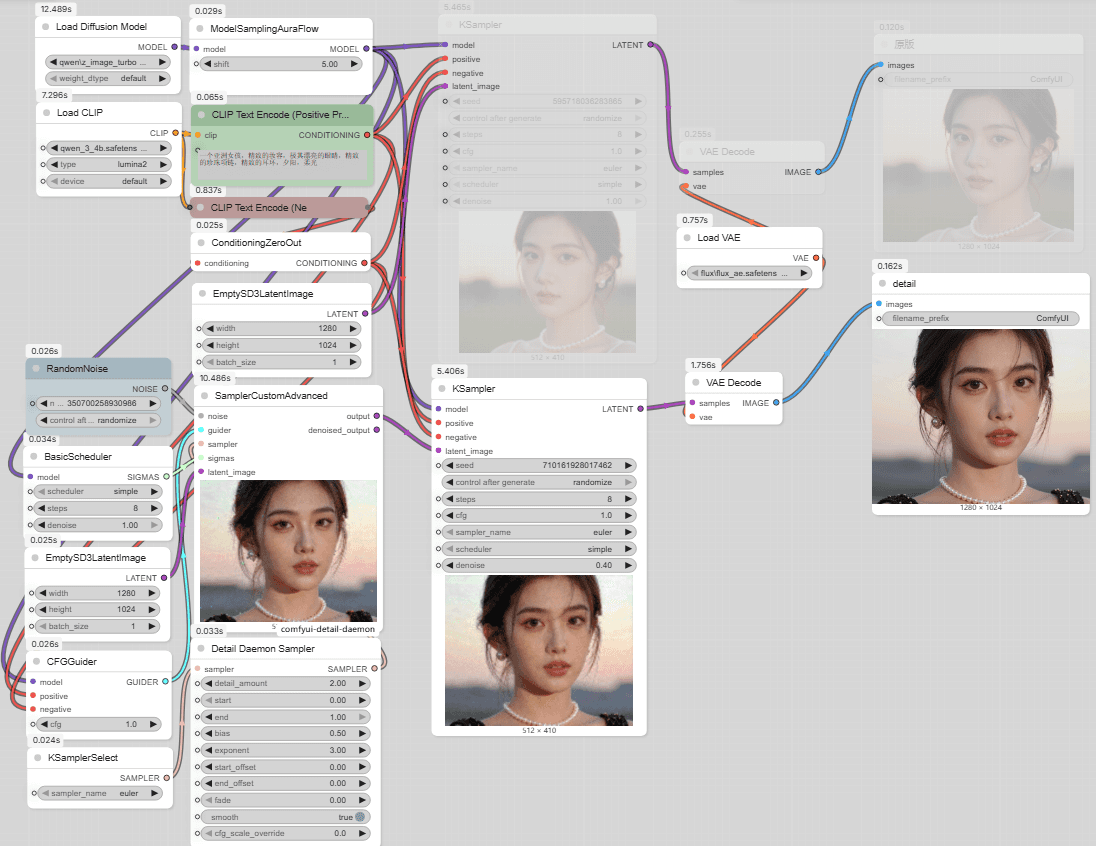
说明:使用比较简单,仅需在 KSamplerSelect 节点与 SamplerCustomAdvanced 节点之间添加 Detail Daemon Sampler。
注意:上述工作流的参数对于 写实人物皮肤真实化 很适合,但是对于景观测试下来会导致画面过于杂乱,可以按照下述的推荐值进行设置。
核心节点:Detail Daemon Sampler,其核心参数如下
- detail_amount:调整生成细节的主要值。正值会增加细节,负值减少细节或简化图像。对于 Flux 或者 Z-Image 模型,推荐 0.1-1.0,或者更高(官方的工作流是 2.0)。对于 SDXL 模型,小于 0.25。
- start:开始调整步数,范围为 0–1.0,0 为第一步,1.0 为最后一步。建议:0.1–0.5(官方的工作流是 0)
- end:调整何时结束,范围为 0–1.0,0 为第一步,1.0 为最后一步。建议:0.5–0.9(官方的工作流是 1)
文章的最后,如果您觉得本文对您有用,请打赏一杯咖啡!感谢!