
一款真实感更强且增强人体结构的模型 Red-Z-Image
模型介绍
Red-Z-Image 是 RedCraft 调教的一款模型,相较于原版的 Z-Image,具有以下特点:
- 照片真实感更强,尤其是写实人物皮肤(蒸馏了
nano banana pro中来自用户的大量的真实照片) - 人体结构表现增强,这也是 RedCraft 系列一贯的强项,从 pony / flux / HiDream 到现在的 Z-Image 均对人体结构表现有所增强
效果展现
真实性
原版 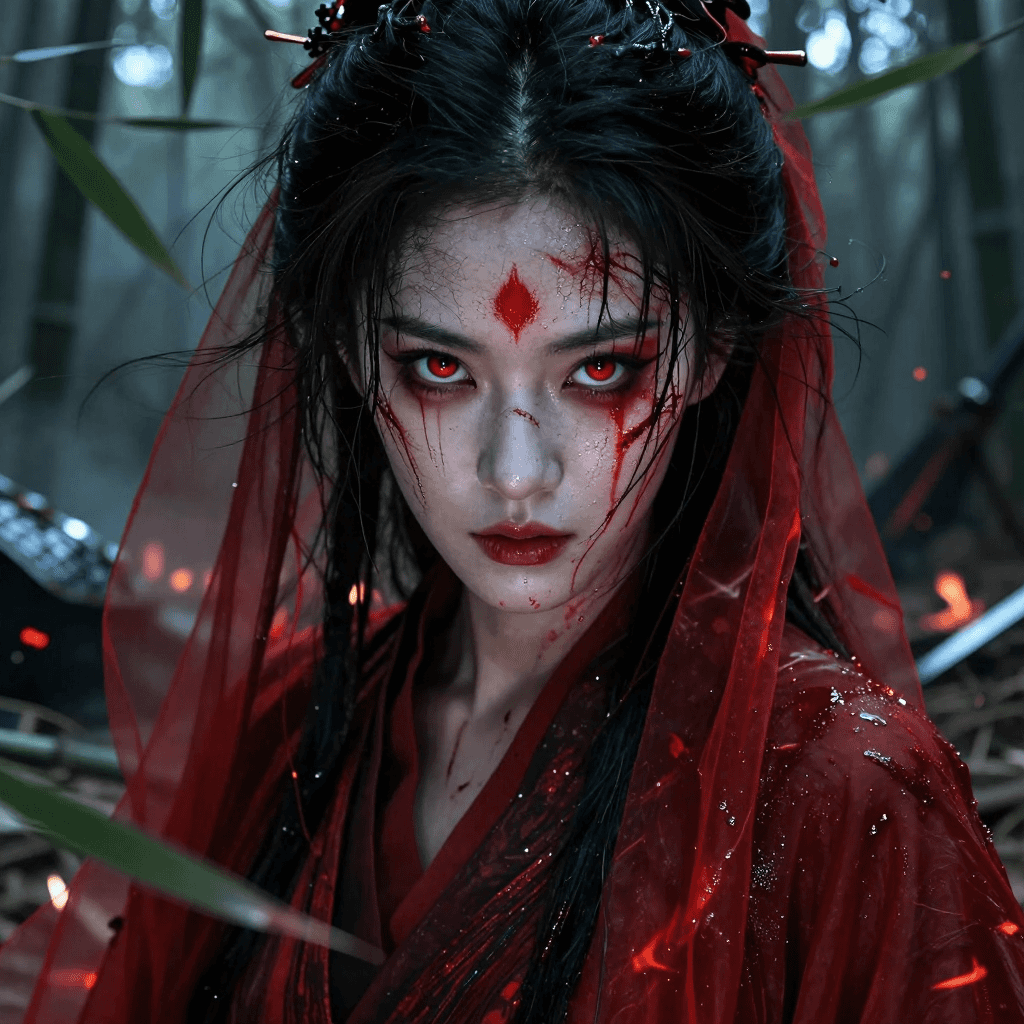
提示词:(来源于官方示例图)
text
Extreme close-up portrait of an ancient Chinese female warrior, hyper-realistic, cinematic photography, eyes dominating the entire frame with burning murderous intent, deep obsidian irises reflecting cold fury, faint crimson blood streaks across sharp cheekbones and brows, traditional vermilion war markings smeared across pale skin, a single vivid scarlet dot of shou gong sha on her forehead, disheveled jet-black hair matted with sweat and blood clinging to her face, skin covered in fine ash, glistening blood beads and fresh blade scars catching the light with wet sheen, tattered translucent crimson silk veil and flowing red gauze robes fluttering like flames and spilling blood in the wind, blurred background of a dark, chaotic bamboo forest battlefield, shattered green bamboo, scattered leaves, broken armor and fallen weapons shrouded in dense war haze and flickering firelight, Ang Lee and Crouching Tiger Hidden Dragon aesthetic, dramatic hard shafts of light piercing through bamboo leaves casting razor-sharp shadows, razor-sharp focus only on the eyes, cold desaturated tones punctuated by striking vermilion accents, eerie, solemn, deadly, tragic grandeur, hyper-detailed photorealism, terrifying yet breathtaking oriental beauty, 8k masterpieceZ-Image-Turbo-AIO 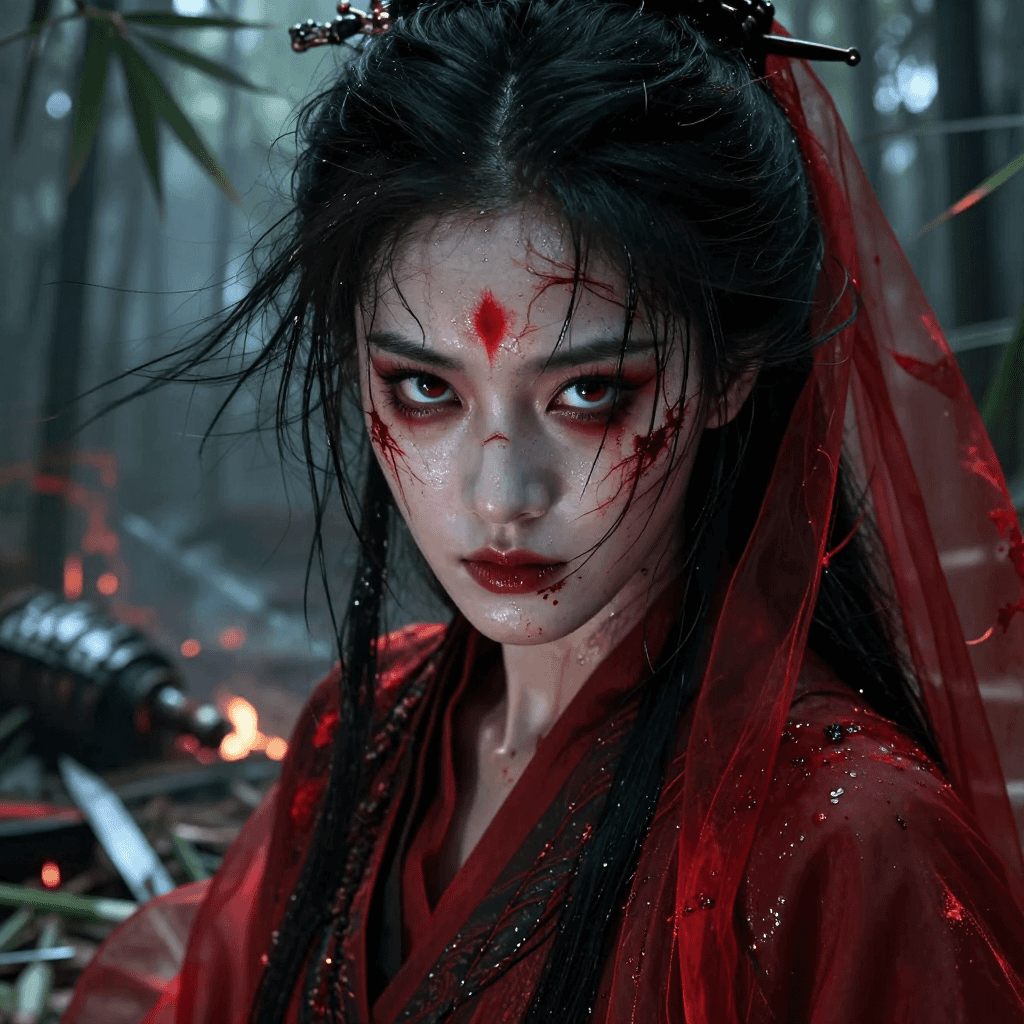
Red-Z-Image(diffusion 模式) 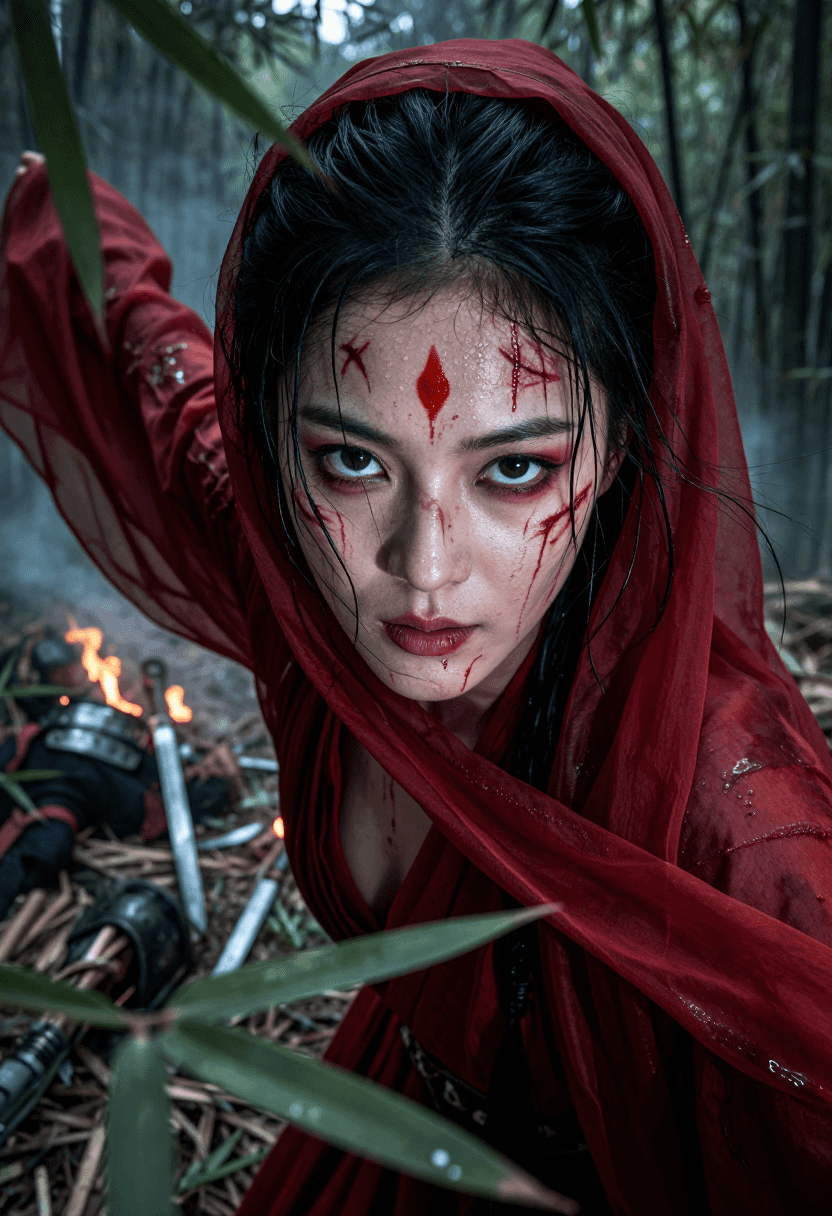
Red-Z-Image(aio 模式) 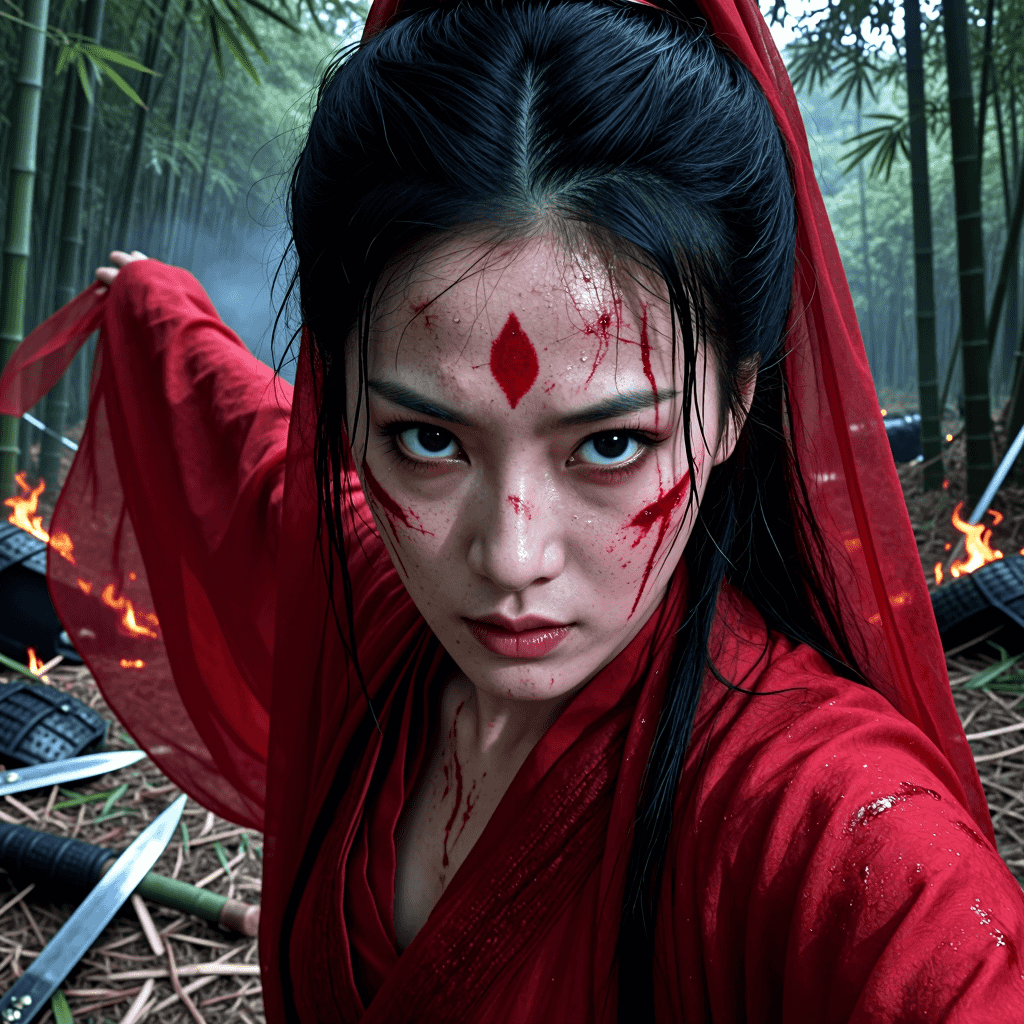
以上图片都是直接出图,未经过高清放大和细节增强。直接来看,整体差不多,Red-Z-Image 的人物真实性会好一点,但是人物的真实性在前面讲过两种姿势(二次采样或者使用 DetailDaemon)都能达到一个不错的效果,所以在任务真实性方面,不必纠结选用哪一个模型,都不错。
人体结构表现增强
图片不宜展示,Red-Z-Image(diffusion 模式)是最强的。
模型下载
两种模式:任选其一
AIO(All In One)模式
- checkpoint 模型文件:下载 redzimage15AIO.safetensors 或者 redzimage15AIO.safetensors,之后放置到 ComfyUI/models/checkpoints/ 下
- 放大模型(可选):官方的工作流使用到了 4x-ClearRealityV1.pth 放大模型,如果决定使用,去下载4x-ClearRealityV1.pth,之后放置到 ComfyUI/models/upscale_models/ 下
Diffusion 模式
- diffusion 模型文件:下载 redzimage15AIO.safetensors,之后放置到 ComfyUI/models/diffusion_models/ 下
- vae 模型文件:下载 ae.safetensors 文件 ,之后为了方便使用,重命名为 zimage_vae.safetensors,放置到 ComfyUI/models/vae/ 下
搭建工作流
AIO 模式
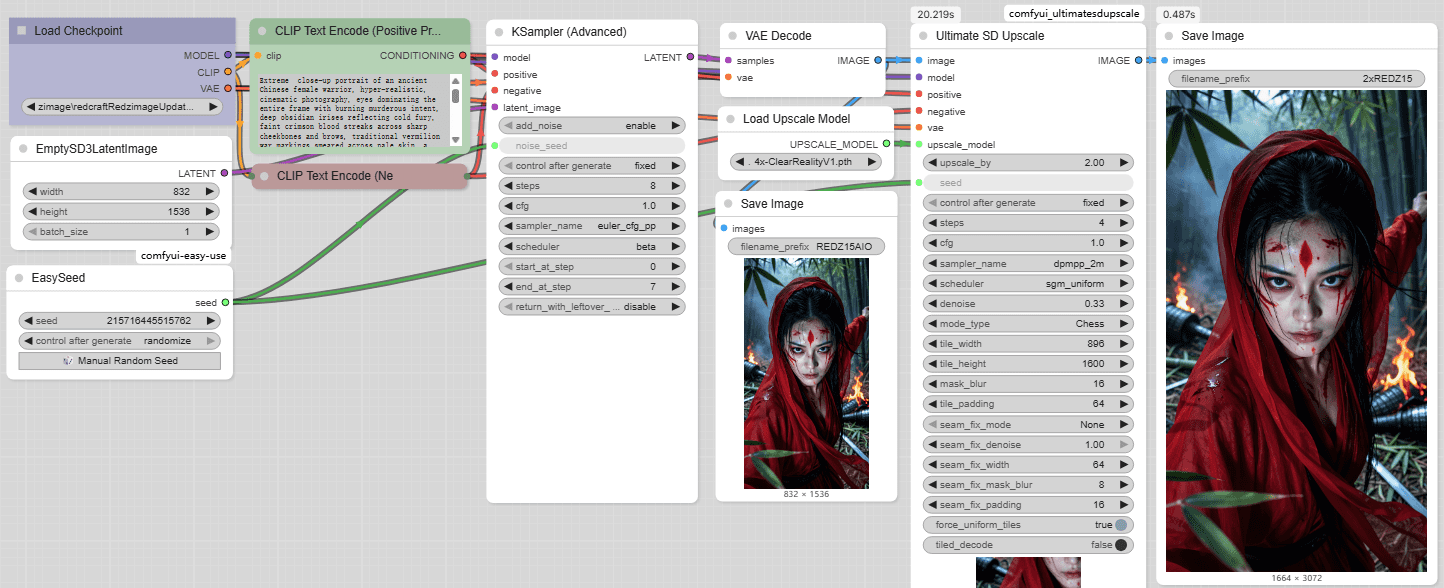
说明:这个工作流来源于官方,在此基础上做了简化,该工作流在采样后,使用 ComfyUI_UltimateSDUpscale 插件进行了放大,也可以直接使用 SeedVR2 进行放大。
Diffusion 模式
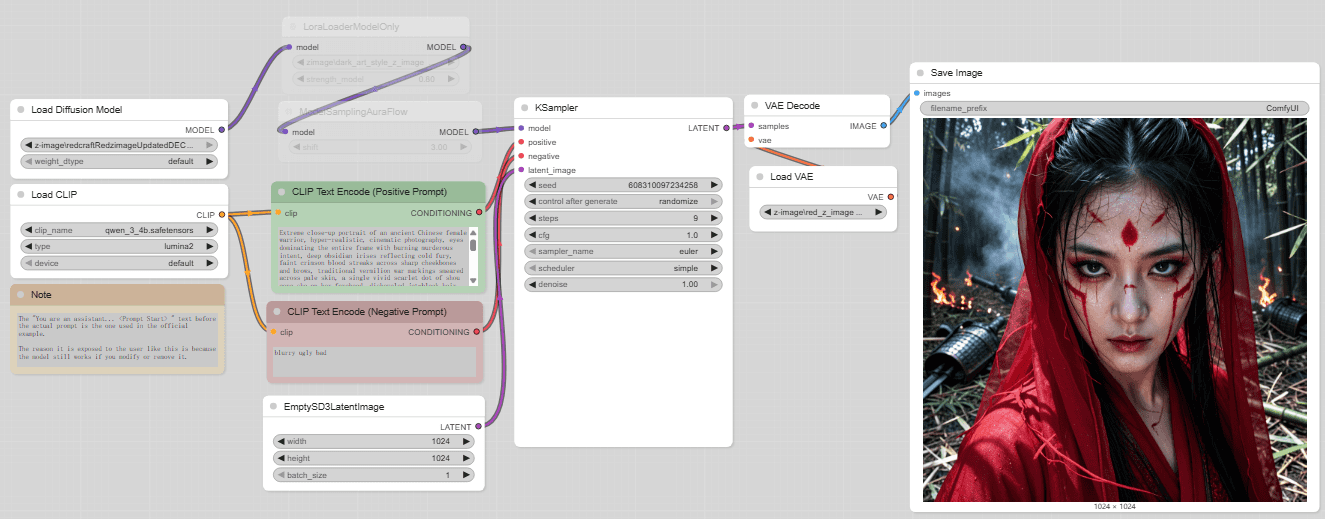
说明:与原版 z-image 相同,只是 diffusion 模型和 vae 模型需要替换为上述下载的模型。
文章的最后,如果您觉得本文对您有用,请打赏一杯咖啡!感谢!