
镜头转换模型 Qwen-Edit-2509-Multiple-angles
效果
给定图片: 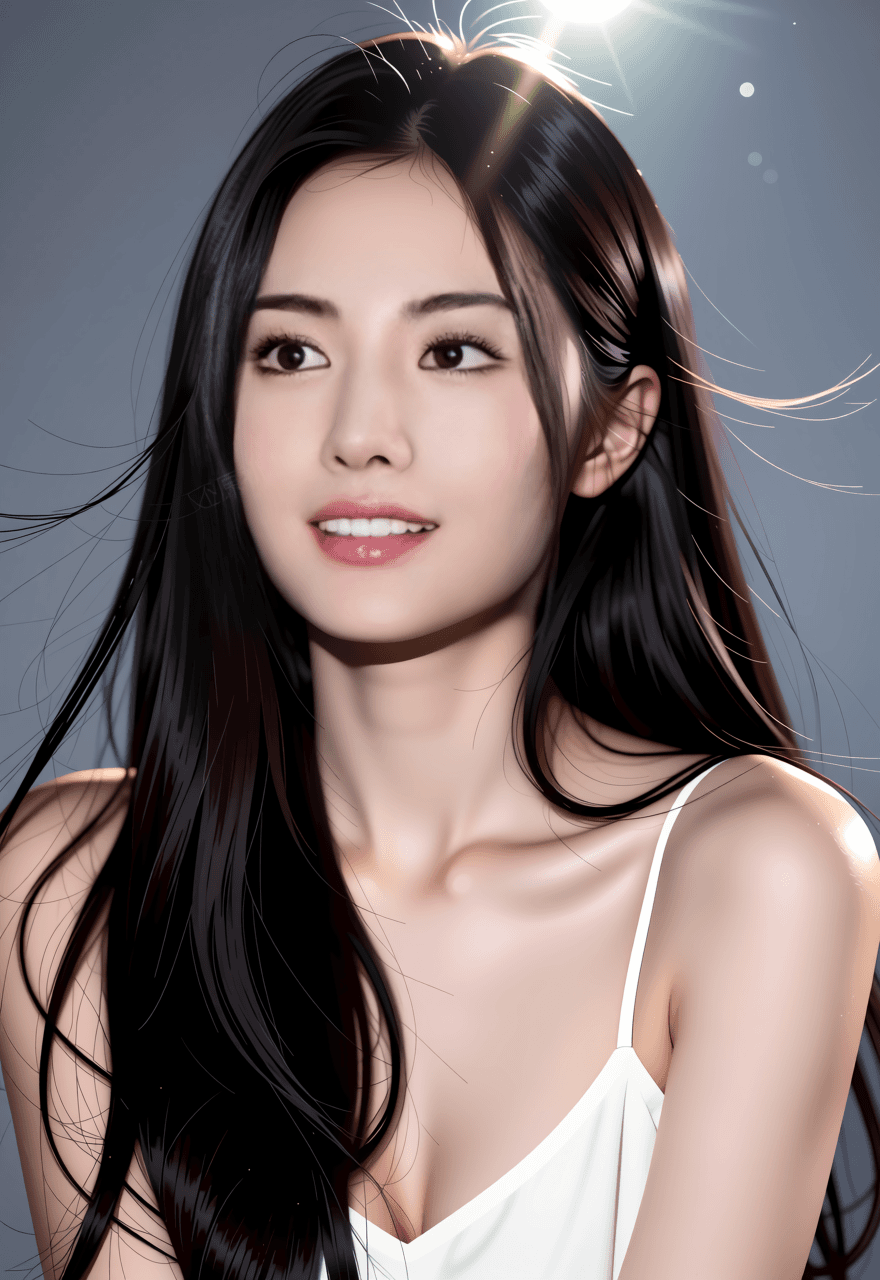
提示词1:
text
将相机转向鸟瞰视角,同时靠近镜头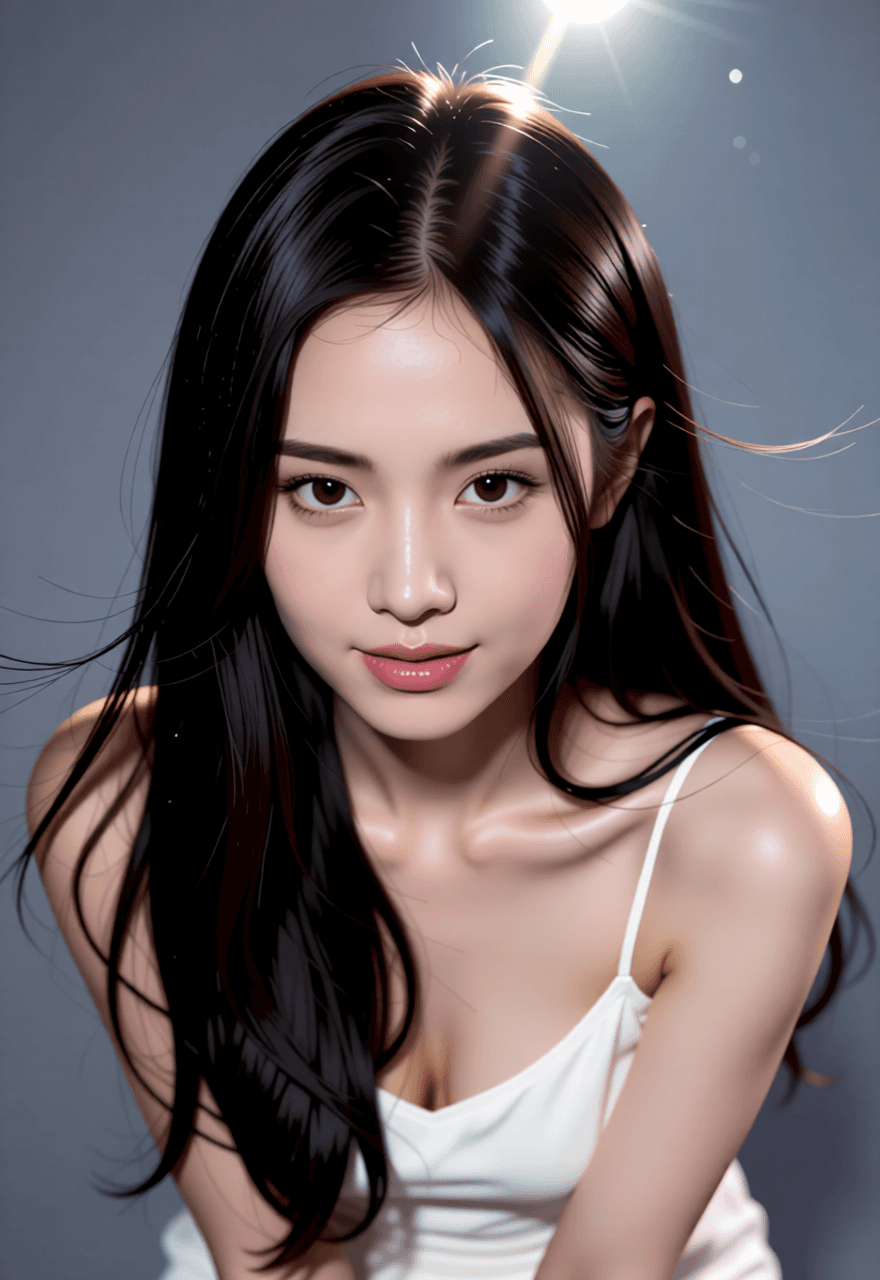
提示词2:
text
将相机切换到仰视视角 Turn the camera to a worm's-eye view.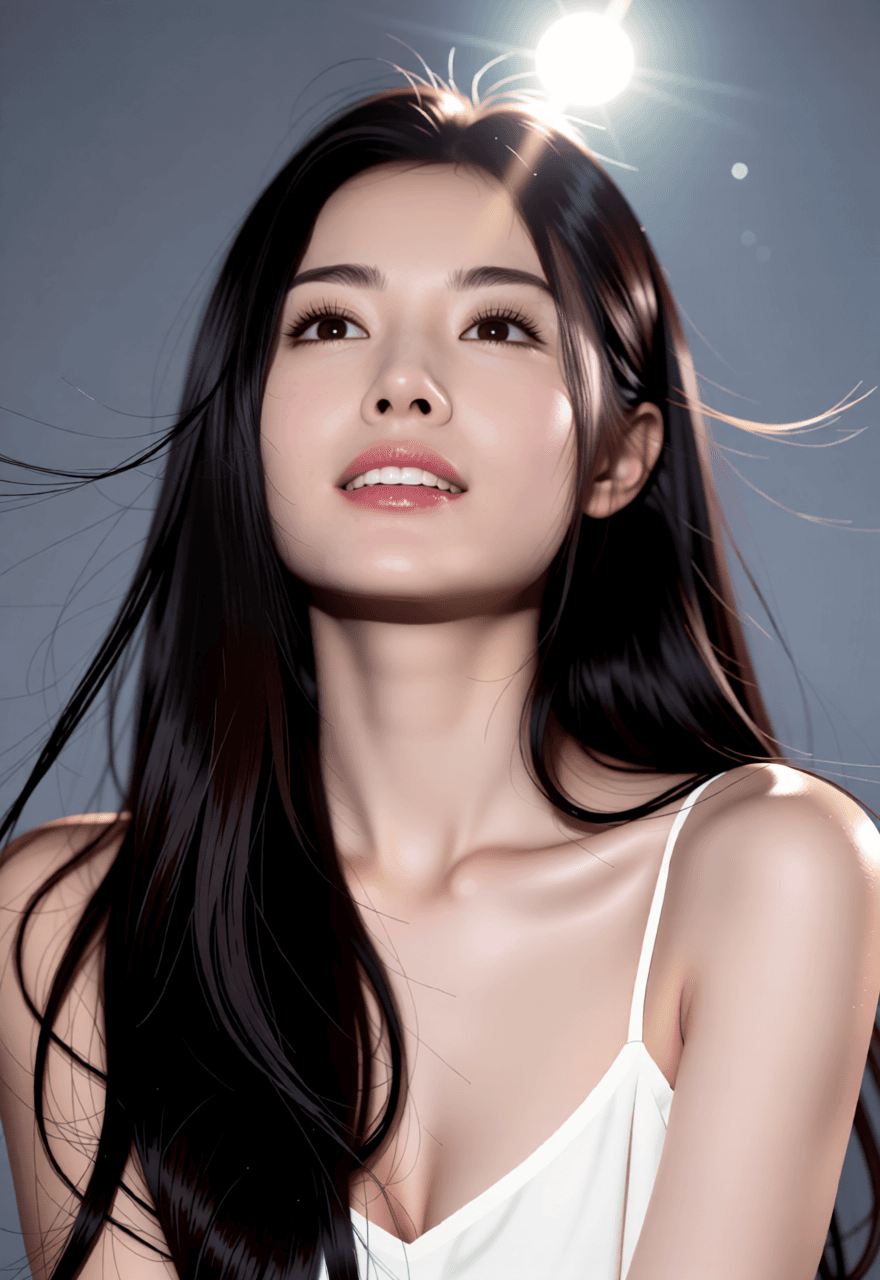
提示词3:
text
将镜头转为特写镜头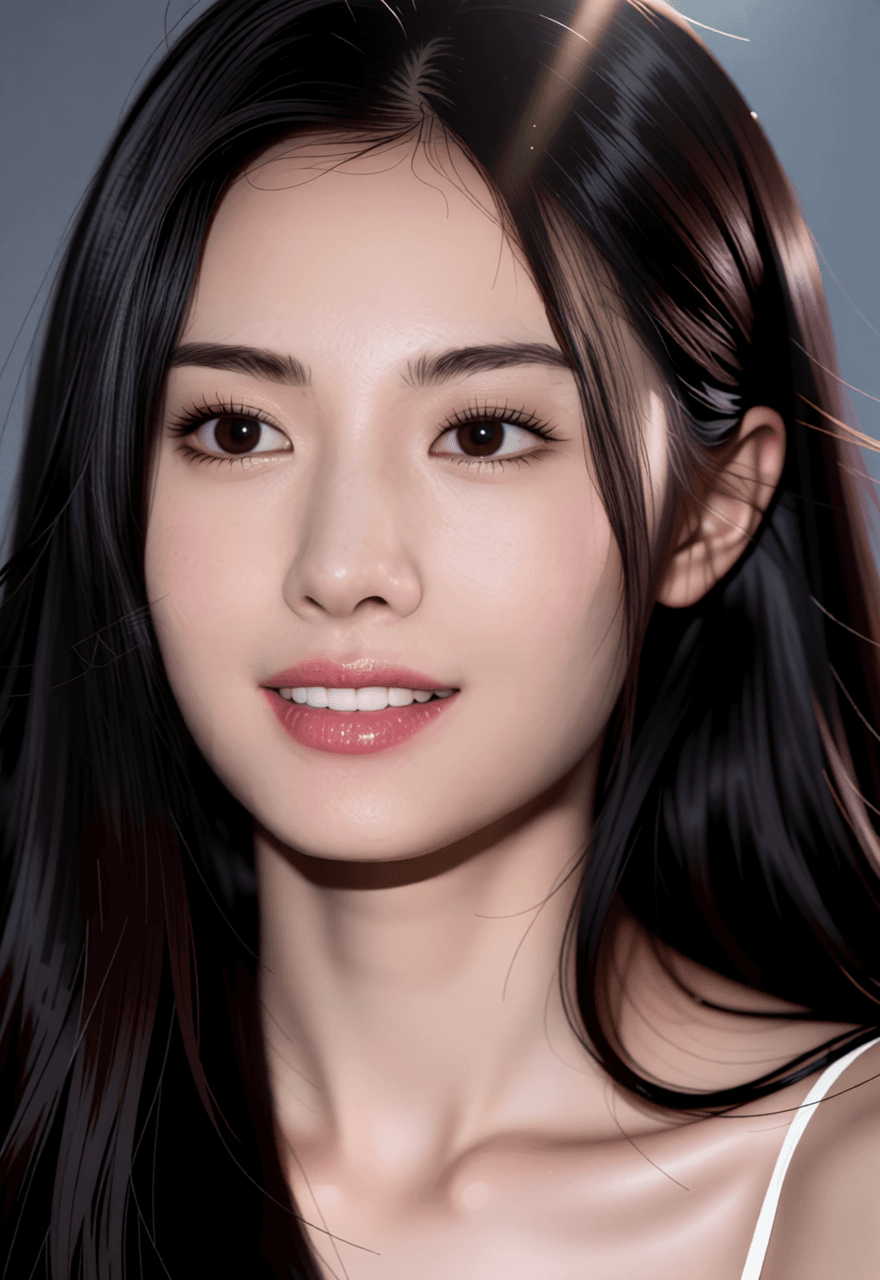
提示词4:
text
将镜头向右旋转45度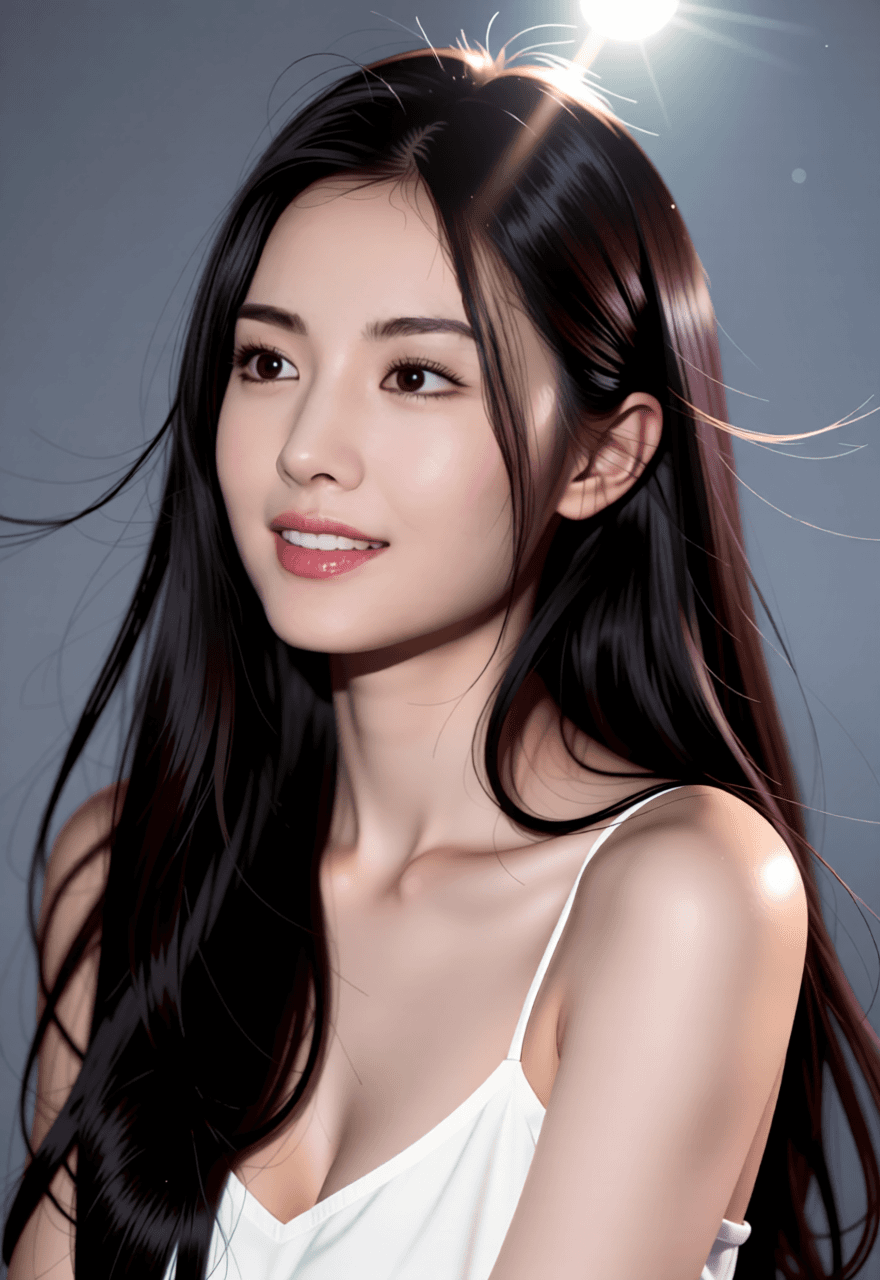
模型下载
- text_encoders:文本编码器,下载文件 qwen_2.5_vl_7b_fp8_scaled.safetensors,将其放置到
ComfyUI/models/text_encoders/下 - diffusion_models:扩散模型,下载文件 qwen_image_edit_2509_fp8_e4m3fn.safetensors,将其放置到
ComfyUI/models/diffusion_models/下 - vae:下载文件 qwen_image_vae.safetensors,将其放置到
ComfyUI/models/vae/下 - LoRA 加速模型:Qwen-Image-Lightning-8steps-V2.0.safetensors(2.0相较于1.0,减少了过拟合),放置到
ComfyUI/models/loras/下 - LoRA F2P 面部保持模型:镜头转换.safetensors,放置到
ComfyUI/models/loras/下
搭建工作流
关注本公众号,回复 angle,获取工作流 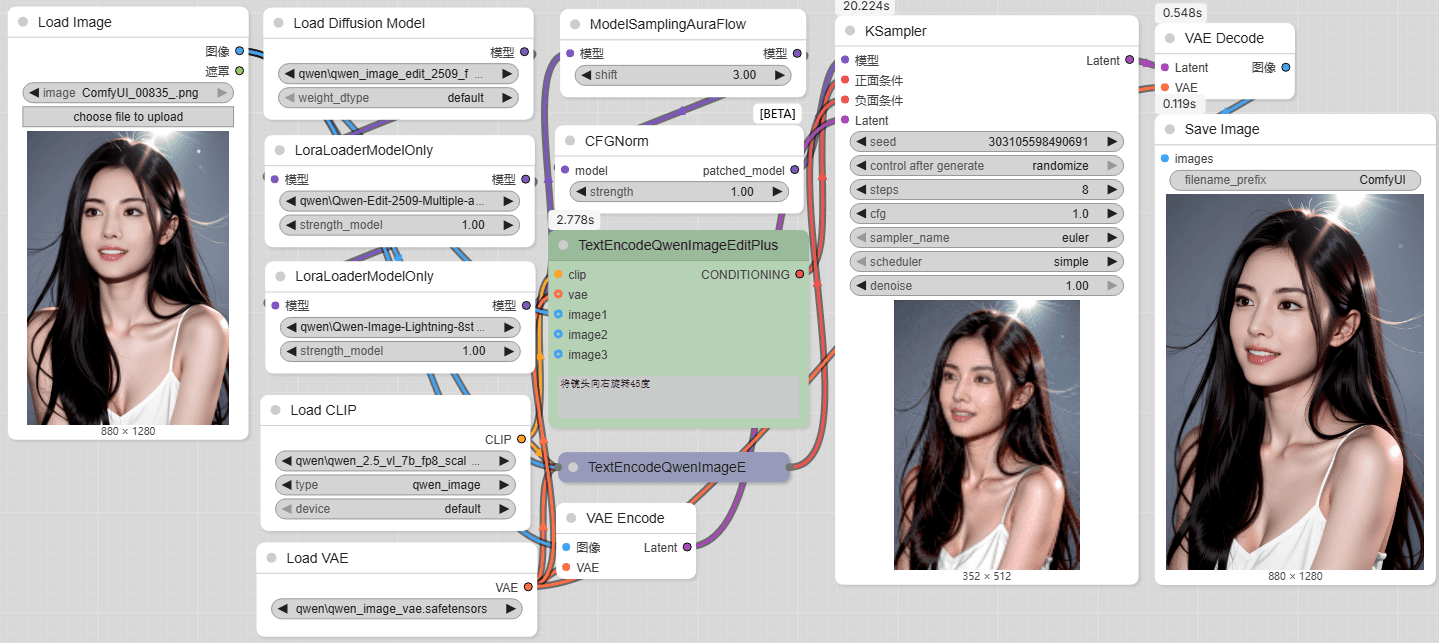
说明: 实测下来对于真人,俯仰角会造成人物一致性的损失;动漫图相对较好。
官方镜头转换提示词(lora 触发词):
- 将镜头向前移动(Move the camera forward.)
- 将镜头向左移动(Move the camera left.)
- 将镜头向右移动(Move the camera right.)
- 将镜头向下移动(Move the camera down.)
- 将镜头向左旋转45度(Rotate the camera 45 degrees to the left.)
- 将镜头向右旋转45度(Rotate the camera 45 degrees to the right.)
- 将镜头转为俯视(Turn the camera to a top-down view.)
- 将镜头转为广角镜头(Turn the camera to a wide-angle lens.)
- 将镜头转为特写镜头(Turn the camera to a close-up.)
文章的最后,如果您觉得本文对您有用,请打赏一杯咖啡!感谢!